What Studio is for
Studio is the place for things you make and show to others. Each item has its own chat, so your AI drafts it and you finish it by hand.
What you can make
| Kind | What it is |
|---|---|
| Deck | Slides you edit and present. |
| Document | A report, plan or letter on A4 or Letter pages. |
| Film | Photos, films and music on a timeline. |
| Design | Posts, posters and screens side by side. |
| Artifact | A dashboard, tool, chart or mock-up. |
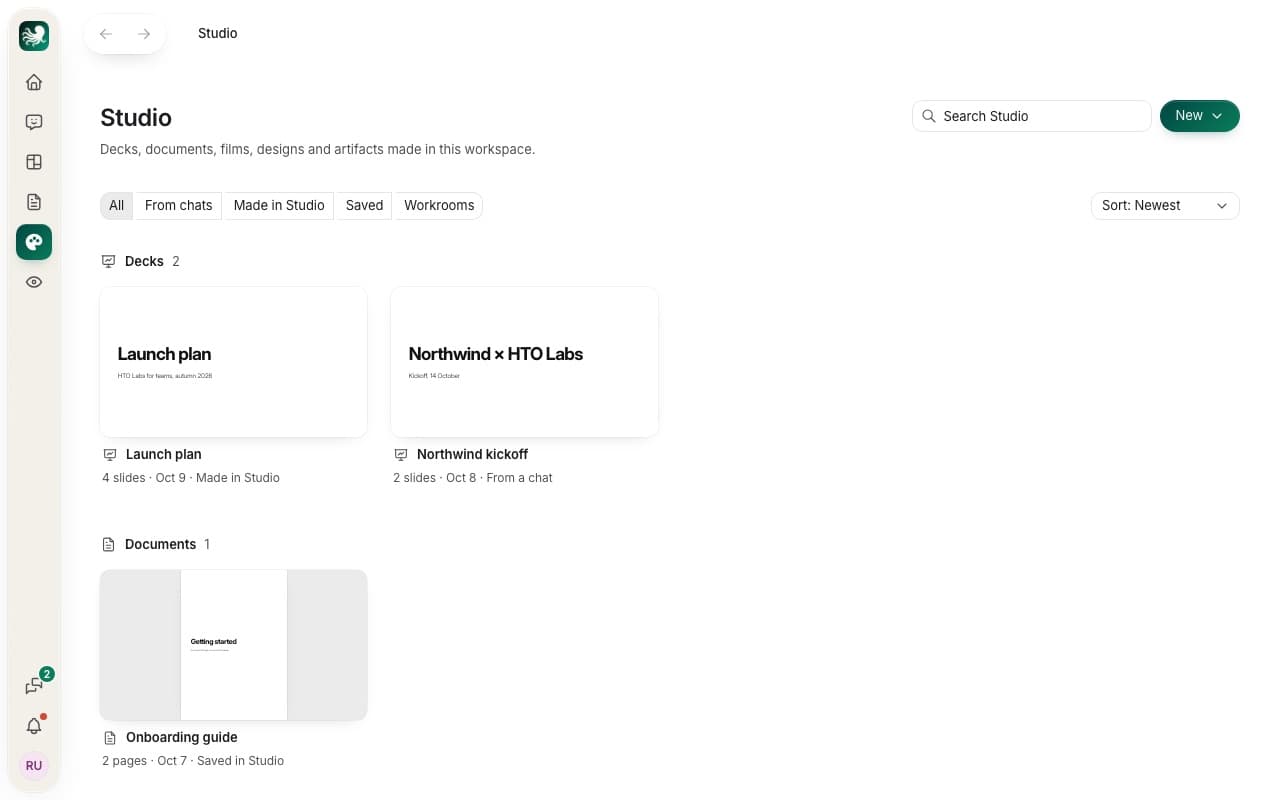
Start something new
Press New and pick a kind. Studio asks what it should be about. Write a sentence or two, and the item’s chat makes it from that, with the AI you chose. You can then change any part yourself, or ask the chat for more changes.
New also has From a file. It brings in a web page or a .zip that holds one, such as an artboard you exported from Claude. You can also drop the file on Studio.
Things your chats make
Any chat can make something for Studio. Ask it for slides, a report, a film or a chart. Studio keeps what it makes, under From chats. A Workroom keeps what its chats make under Workrooms. Press Move to Studio on an item to show it in the main list too.
Studio on the web
On htolabs.com you open decks and documents, present them and edit them. The files stay in your workspace’s cloud folder. To start a new item, use its chat or download PowerPoint, open the Mac app. Designs open in the Mac app only for now.
Tip: to make a deck step by step, read Make a deck.
Still stuck? Write to us, and a person at HTO & Beyond answers.